Unplain MCP
Create publish-ready PDFs without leaving your AI chat
MCP is a simple standard that lets an AI assistant use another app on your behalf. Connect Unplain once, and you can ask Claude or Codex to write a guide, design it, generate a cover and hand you back a publish-ready PDF: no copying drafts into an editor, no manual formatting, and no need to name a single hex code unless you want to.
About ten minutes from key to first PDF. Works on the free plan.
What you'll need
-
An Unplain account
Free is enough to follow this whole guide.
-
An API key
One click in your account settings. Step 1 below.
-
A supported client
Claude Code or Codex, installed and signed in.
Generate an API key
The key is how your AI client proves it is allowed to act in your Unplain account. You create it once and paste it into your client.
- 1 Open Unplain and go to Account settings, then the API keys section.
- 2 Click Create API key. Naming it after the client (for example "Claude Code") makes it easy to revoke the right one later.
- 3 Copy the key straight away and keep it somewhere safe, like a password manager.
Your key looks like this
unp_••••••••••••••••••••
It is shown once, at the moment you create it, and never again. If you lose it or think it has leaked, revoke it from the same page and create a new one: revoking takes effect immediately. You can keep several keys at the same time, one per client.
Connect your AI client
Every client needs the same two things, the Unplain server address and your key, but each one takes them differently. Pick yours for the exact commands, the config it writes, and what to do when it misbehaves.
- Claude Code One command adds the server. Share it with a team by committing a .mcp.json to the project. Setup for Claude Code →
- Codex Reads the key from an environment variable, so it never sits in a config file. Setup for Codex →
Those two are verified end to end against the live server. Nothing else is listed here until it has been.
Any other client
Unplain runs a remote MCP server over HTTP, so any client that can add a remote server and send a custom header will work. A client that only supports servers running on your own machine, or one that cannot send an Authorization header, cannot connect to Unplain yet. Signing in with your Unplain account instead of a key is on the roadmap, and will widen that list.
Server URL:  https://app.unplain.io/api/mcp
Header: Authorization: Bearer unp_your_key_hereSay hello
Before creating anything, run one harmless prompt to prove the connection works.
Show me the Brand Themes available in my Unplain account.What you should see
Your assistant asks for permission to use an Unplain tool (allow it), then lists your themes with their names and colors, and points out which one is the default. If you have not saved a Brand Theme yet, you will get an empty list. That is still a success: the connection is live, there is simply nothing to show yet.
Create your first PDF
Paste this in and watch it work. Change the topic to anything you like.
Create an Unplain ebook called "The 7-point landing page audit".

First list my Brand Themes and use my default one.

Write a short introduction and seven sections, one per audit point,
each with a heading and two or three paragraphs.

Create the project, then wait for the PDF export to finish and give me
both the download link and the editor link.
On the free plan, ask for three or four sections instead: free exports cover up to five content pages, and the cover, contents and CTA pages are not counted.
Your assistant writes the content
It drafts the ebook as Markdown, then sends it to Unplain along with the Brand Theme you asked for.
Unplain builds and renders it
The project is saved to your account with a cover, a table of contents, page numbers and a closing call-to-action page. Rendering happens in the background and a short ebook is usually ready in a few seconds.
You get two links
A download link for the finished PDF, valid for about an hour, and an editor link that opens the project in Unplain whenever you want to change something.
If your assistant reports the export as queued and then stops, just ask it to check again. Rendering is asynchronous, so it may need one more nudge to fetch the finished file.
What the Unplain MCP can do
You never have to describe any of this to your assistant. It discovers what Unplain offers as soon as it connects, and works out when to use it.
Design from a description
You do not have to name colors and point sizes. Say "make it feel like an independent literary journal" or "a stark monochrome report" and your assistant picks the palette, typefaces, heading scale and spacing, then applies them. It can see exactly which fonts, presets and ranges Unplain supports, so it chooses from what exists rather than guessing.
Nine built-in looks
Unplain ships presets from boardroom-formal to dark and striking. Your assistant can read what each one is for and apply the one that fits, then adjust it: "use the Journal preset but make the accent oxblood and the headings bigger" is a single instruction.
AI cover artwork
Ask for a cover and your assistant generates one that suits the book. With no prompt it works from your own section headings; give it direction and it follows that instead. The artwork is always wordless, because Unplain sets the title over it in your chosen typeface. It draws on the same AI image allowance as the button in the app.
Illustrations inside the ebook
Your assistant can generate images into the body of the book, not just onto the cover, and place them where they belong: filling a slot you already left, or inserting one after a particular paragraph. With no prompt the subject comes from the heading and paragraph around that spot, so writing the content first produces pictures that fit it. It can set the caption and the alt text in the same step, and later images inherit the look of earlier ones, so a finished ebook reads as illustrated rather than decorated. Generating images inside a document needs Pro or a Creator Pack; uploading your own does not.
Images where they earn their place
The tool also tells your assistant when NOT to generate. An image belongs where it helps someone understand something, or gives a long stretch of text a break, and a twenty page guide usually wants a handful rather than twenty. It is told never to draw a chart, because an image model invents the numbers along with the bars. Ask for data and you get a diagram or a concept, never a fabricated statistic.
The whole cover, not just the picture
Cover layout, title, subtitle, author, text color and the darkness of the overlay behind the text are all adjustable, so the cover can be designed rather than merely generated.
Your Brand Themes
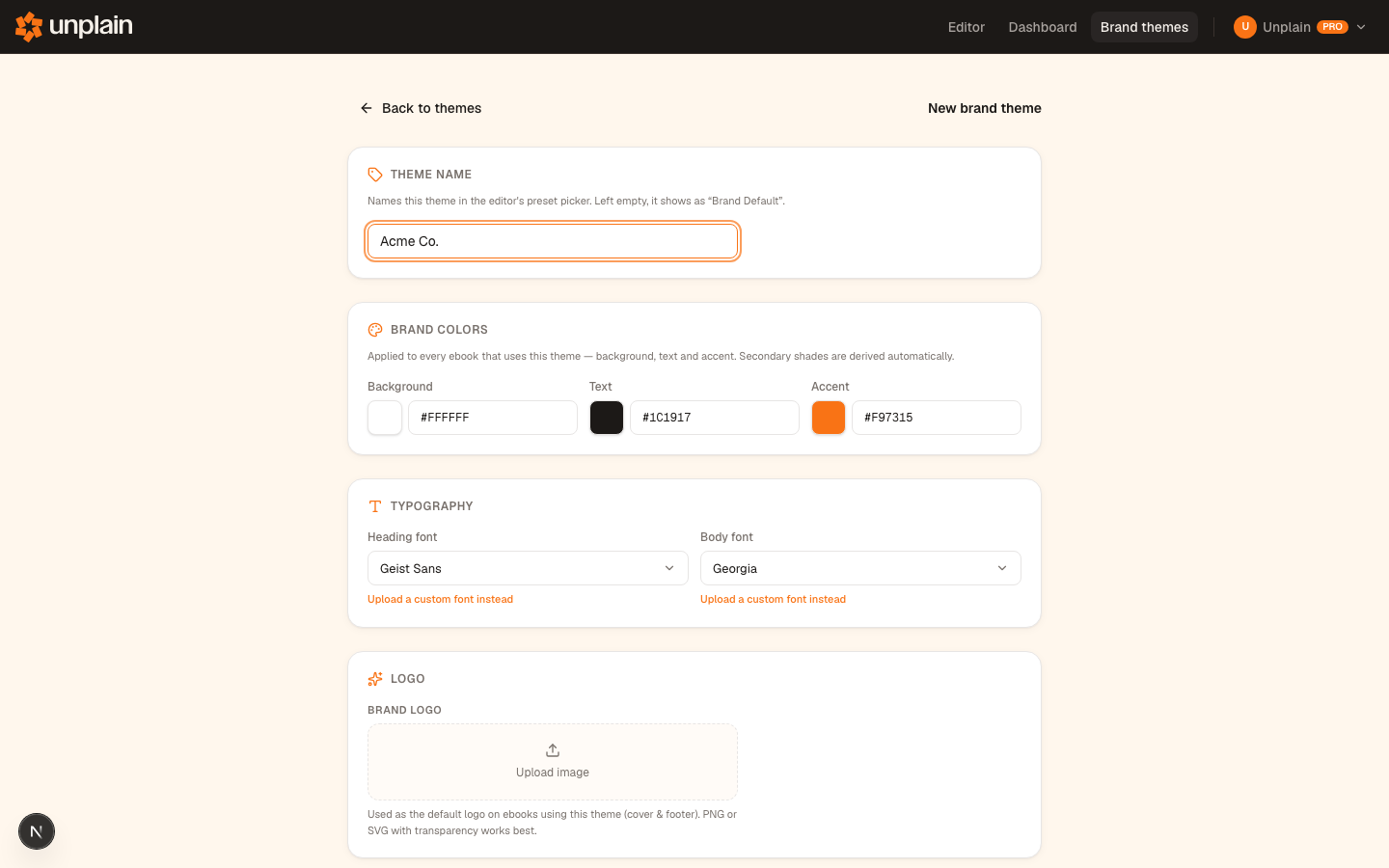
Your assistant can list the Brand Themes saved in your account and style an ebook with the one you pick. It can also create and update them: "set up our company brand with #FF4400, Inter headings and Georgia body text". Logos and uploaded font files stay in the app, and are never disturbed by an edit made this way.
Real Unplain projects
Every ebook it creates is a normal project in your account. You get an editor link back, so you can open it and keep working by hand.
Refer to an ebook by name
You never have to look up an id. Say "restyle the carrot ebook" or "export the Q3 report" and your assistant finds it in your account, matching on both the project name and the cover title.
Markdown in, design out
Headings, lists, bold, links, quotes and tables all carry over. Your assistant writes the Markdown; Unplain does the layout.
Contents, pagination and CTA
Each PDF gets a table of contents built from your headings, real pagination that never breaks a page badly, page numbers and a closing call-to-action page. Links stay clickable in the PDF.
PDF export
Ask for the finished file and Unplain renders it in the background. Your assistant waits for it and hands you a download link.
Editing what already exists
Your assistant can read back an ebook you already have, change a single paragraph, heading or list, restyle it completely, and export it again. It does not have to start over.
Careful about your work
If you edited the ebook in Unplain while your assistant was working on it, the change is refused rather than applied on top of yours. Your assistant re-reads the current version and tries again.
Safe retries
If a request is repeated, your assistant can reuse the same project instead of creating a duplicate, so a hiccup never clutters your dashboard. A repeated cover request will not quietly spend a second generation either.
Your plan, understood
Your assistant can check which plan you are on, what it allows and what is left in any Creator Pack before it starts writing, so a free account gets an ebook that fits rather than one that cannot be exported.
Prompts worth stealing
Every one of these works with the tools available today.
See your Brand Themes
List the Brand Themes in my Unplain account and tell me which one is the default.Turn a Markdown file into a PDF
Take the Markdown in notes.md and create an Unplain ebook called "Q3 Growth Report" by me, Adam. Use my default Brand Theme, then wait for the export and give me the PDF link.Write and design a branded ebook
Write a short ebook called "The Email Welcome Sequence Playbook" with an intro and five chapters, each about 300 words. List my Brand Themes first and use the one called "Main brand". Create it in Unplain and export the PDF.Write and illustrate a guide
Create a polished illustrated guide to domesticating hyenas. Use a visual style suited to a serious field guide, make a matching cover, add images where they actually help explain something, and export the PDF.Illustrate a report without inventing data
Turn this report into a branded ebook. Add diagrams where they make a process clearer, but do not invent any figures or draw any charts.Add a single image to a section
In my Unplain ebook about carrots, add a photographic image after the paragraph on soil preparation, with a caption.Create a draft without exporting
Create this as an Unplain draft only, without rendering a PDF, and give me the editor link so I can polish the cover myself.Check on a running export
Check whether that Unplain export has finished, and give me the download link when it is ready.Work on an ebook by name
Find my Unplain ebook about carrots, style the colors and fonts to suit the topic, and generate a photorealistic cover for it.Fix something in an ebook you already have
Open my Unplain ebook "Q3 Growth Report", read the outline, rewrite the introduction so it opens with a concrete number instead of a general claim, then export a fresh PDF.Restyle a cover without touching the writing
Take my Unplain ebook "The Email Welcome Sequence Playbook", switch it to the bold cover style, set the subtitle to "A practical five-part guide", apply my "Main brand" theme, and export it again.Describe a look instead of specifying it
Make my Unplain ebook "Field Notes" feel like an elegant independent literary journal: pick a suitable serif, a warm off-white page, wide margins and generous space between sections. Show me what you chose.A complete, designed ebook from one sentence
Write a 20-page beginner's guide to phenomenology, give it an academic editorial design with a warm off-white background and an appropriate serif, generate a fitting abstract cover image, and send me the finished PDF.Generate a cover that fits the topic
Generate a cover image for my Unplain ebook "A History of Black Metal". Dark and cinematic, no people. Then export the PDF.Start from a preset, then adjust it
Show me the Unplain design presets, apply the Journal one to my report, then make the accent oxblood and the headings a little larger.Change a couple of things
Make the background of my Unplain ebook dark, switch the headings to a serif, and keep everything else as it is.Save a reusable brand
Create an Unplain Brand Theme called "Acme" with #FF4400 as the accent, Inter headings, Georgia body text and our website acme.com, then use it for this report.If something goes wrong
The client says it cannot connect, or every tool call fails
Nine times out of ten the key is not reaching the server. Check that the header value starts with "Bearer " (with the space) followed by your key, that the key has not been revoked, and that the URL ends in /api/mcp with no trailing slash. A wrong or missing key gets you a 401 response, which most clients report as a failed connection.
Codex cannot find the key
Codex reads the key from an environment variable at launch, not from its config file. Make sure UNPLAIN_API_KEY is exported in the shell you start Codex from, and add it to your shell profile (for example ~/.zshrc) so it survives a new terminal window.
The tools do not show up
Restart the client after adding the server. Claude Code picks up new servers when you start a new session, and Codex when you relaunch it. Then ask your assistant what Unplain tools it has, or run the list command on your client's setup page.
My assistant asked me for a project ID
It should not need to. Ask it to find the ebook by name instead, for example "find my Unplain ebook about carrots". If it still asks, it is probably running an older tool list: start a new session in your client so it picks up the current one.
It says I have no Brand Themes
That means the connection works, you simply have not saved one yet. Brand Themes are optional: your assistant can still design the ebook from Unplain's presets and font catalog, or you can ask it to create a Brand Theme for you. To make one by hand, open Unplain, set your colors, fonts and logo, and save it.
It picked a font I did not expect, or said a font is unavailable
Unplain carries a curated catalog rather than every font in existence, and anything outside it is refused rather than quietly swapped for a lookalike, so what you see in the app is what lands in the PDF. Ask your assistant which fonts Unplain offers and it will list them, then name the one you want.
It says the AI image allowance is used up
Image generation through your assistant draws on the same allowance as the button in the app: 1 on the free plan, 60 per billing period on Pro, plus any Creator Pack images. One pool covers cover art and images inside the ebook, so both draw it down. Buy a Creator Pack, upgrade to Pro, or upload images yourself in the editor. Nothing else about the ebook is affected and it still exports.
It generated a cover but says it will not make another
Overwriting a cover the ebook already has needs an explicit go-ahead, so a repeated request cannot silently spend a second generation. Tell your assistant to replace the existing cover and it will.
The export said the ebook is too long for the plan
The free plan exports up to five content pages per PDF (the cover, contents and CTA pages do not count). Shorten the ebook, use a Creator Pack export (a one-time Creator Pack includes 20), or upgrade to Pro for unlimited length. The project stays in your account either way, so nothing you wrote is lost. To avoid this, ask your assistant to check your Unplain plan before it starts writing.
The download link stopped working
PDF links are signed and expire about an hour after they are created, and the rendered file is cleared after a day. The project itself is saved, so open it in Unplain and export again, or ask your assistant to create it again.
It says there were too many requests
There are per-account limits on how many ebooks and exports you can start each minute, to keep renders fast for everyone. Wait a minute and ask again.
Still stuck after that? Email info@unplain.io with the client you are using and what you tried, and we'll help you finish the setup.
Keeping your key safe
- A key can do anything you can do in Unplain: create ebooks, use your Brand Themes, and export PDFs against your plan's limits. Treat it like a password.
- Never commit a key to a repository, paste it into a shared document, or leave it visible in a screenshot or screen share.
- Prefer an environment variable when your client supports one, as Codex does.
- Use a separate key per client, so revoking one does not disconnect the others.
- If a key might have leaked, revoke it in your account settings and create a new one. Revoking is instant.
What it cannot do yet
- Claude Code and Codex are the clients we have tested end to end. Others may work, but we will not claim they do until we have checked.
- Your assistant can create new ebooks, not open or re-export ones you already have. Use the editor link for those.
- Images are not supported in the content it sends, and it cannot generate or set a cover image. You can add both in the editor.
- The call-to-action page is created with placeholder text, ready for you to edit in Unplain.
- Documents are capped at about 250,000 characters, which is far longer than a normal ebook.
- PDF rendering is asynchronous: your assistant starts the export and then checks back for the file.
Common questions
What is MCP?
MCP (Model Context Protocol) is an open standard that lets an AI assistant use an outside app. Once you connect Unplain to your assistant, it can create ebooks and export PDFs in your account without you copying anything between windows.
Which AI clients can connect to Unplain?
Claude Code and Codex are supported and verified today. Any other client that can connect to a remote MCP server over HTTP and send a custom Authorization header will work too, using the same URL and key.
Do I need a paid plan to use the Unplain MCP?
No. The MCP is included with every Unplain account, free or Pro. It is not a separate product and there is nothing extra to buy. A free account can create an API key and export PDFs of up to five content pages, with the Made with Unplain badge. A Creator Pack export or Pro removes the length limit and the badge.
Do my plan limits change when I use an AI assistant?
No. The MCP is another way into the same Unplain, so you get exactly the capabilities of the plan you already have. Ebooks your assistant creates count toward your saved projects, and their PDFs follow the same length limit and branding rules as ones you export from the app. Your assistant can also check your plan and its limits before it writes, so it can size the ebook to fit.
Can my assistant use my Creator Pack?
Yes, by the same rules as the app: an export longer than five content pages uses one Pack export, and an AI image uses a Pack image once your plan's own allowance is spent. Your assistant can see what is left before it starts, and is told what each step used. Re-exporting an unchanged ebook costs nothing. As a safeguard against an assistant stuck in a loop, it can spend at most 5 Pack exports and 20 Pack images an hour; the app itself has no such limit. The best habit is to let your assistant draft first and export once the ebook is final.
Does the AI write the ebook, or does Unplain?
Your assistant writes the words and makes the design decisions. Unplain gives it a real design system to work with and does the publishing: typography, pagination that never breaks a page badly, the cover, the table of contents, clickable links and the closing call-to-action page. You describe the feel you want; it picks fonts, colors and spacing from what Unplain actually supports.
Can my assistant design the ebook, or do I have to specify every setting?
It designs it. Your assistant can see Unplain's full font catalog, its built-in presets, every cover layout and the allowed range of each typography and spacing setting, so it can turn "a stark monochrome report" or "an elegant editorial look" into real settings and apply them in one step. You can still be specific when you want to be, down to an exact hex color and point size.
Do AI images through my assistant use extra credits?
No, they use the same AI image allowance as generating one in the Unplain app: 1 on the free plan, 60 per billing period on Pro, plus any Creator Pack images. Covers and in-book images share that one pool. There is no separate MCP allowance and no way to generate more this way than you could in the app. A generation that fails costs you nothing.
Can my assistant change my saved Brand Themes?
It can create new ones and change the name, colors, fonts and links on existing ones, within the Brand Theme limit of your plan. It cannot upload a logo or a font file, and it cannot change which theme is your default, so an edit can never quietly disturb the branding on every future ebook. Your logo and any uploaded fonts are preserved untouched when it changes a color.
Is my API key safe to put in a config file?
Treat it like a password. Codex reads it from an environment variable, which keeps it out of the config file. Wherever you store it, never commit it to a repository, and revoke it from your account page if it leaks.
New to Unplain? See what it does, how it works with Claude drafts, or what the free plan covers.