ChatGPT to PDF: the first prompt is easy, the second edit is not
Ask ChatGPT for a designed PDF and you get one in under a minute: cover, contents, chapters and a CTA page. The trouble starts at the first edit. Every change is another prompt and another wait, and the layout drifts a little each time. Let AI help with the words, then let a layout tool keep the design.

ChatGPT will design the whole PDF, if you ask
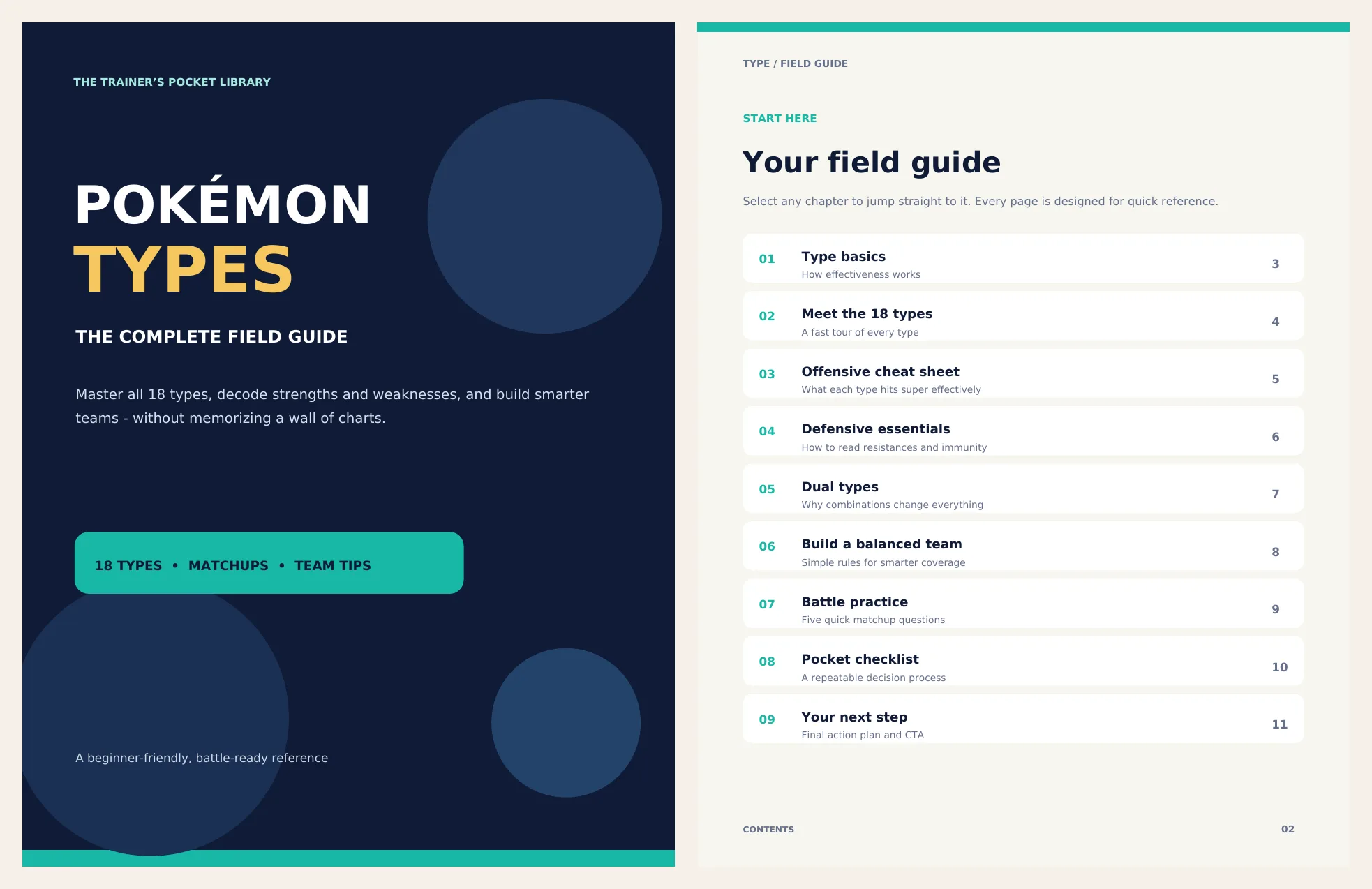
I typed one short prompt into ChatGPT Plus: write and design a full PDF lead magnet with a cover, a working table of contents and a final CTA page, about Pokémon types. Nothing else. No brand, no colours, no fonts.
It came back with an 11-page PDF. A dark cover with a big title. A contents page with links that worked. Eight chapters with tables, cards and callouts. Page numbers. A CTA page at the end.
write and design a full pdf lead magnet with a cover, working table of contents, and a final CTA page about pokemon types
If the question is “can ChatGPT turn a draft into a PDF”, the answer is yes, and fast.
It is also where most people stop reading the result.
What the first PDF gets wrong before you touch it
Look closer and the cracks are already there.
Seven of the nine entries do not match the heading they point to. The links work. The words do not. The contents page says chapter one is “Type basics”. The chapter itself is called “Learn the battle language”. “Defensive essentials” opens as “Defense wins battles”. “Pocket checklist” is “Your battle checklist”.
The cover has no picture. It has three circles. Fine for a test, not for something with your name on it.
The file itself says how it was made. Its producer field reads ReportLab, a Python library. ChatGPT did not lay out pages. It wrote a program that draws them, so the design is whatever that program says, and every edit is a change to the program.
None of this is a disaster. A reader would shrug. But the contents and the chapters were written as separate decisions, with nothing holding them together.
Every edit is a prompt, a wait and a coin toss
Then I asked for two small changes.
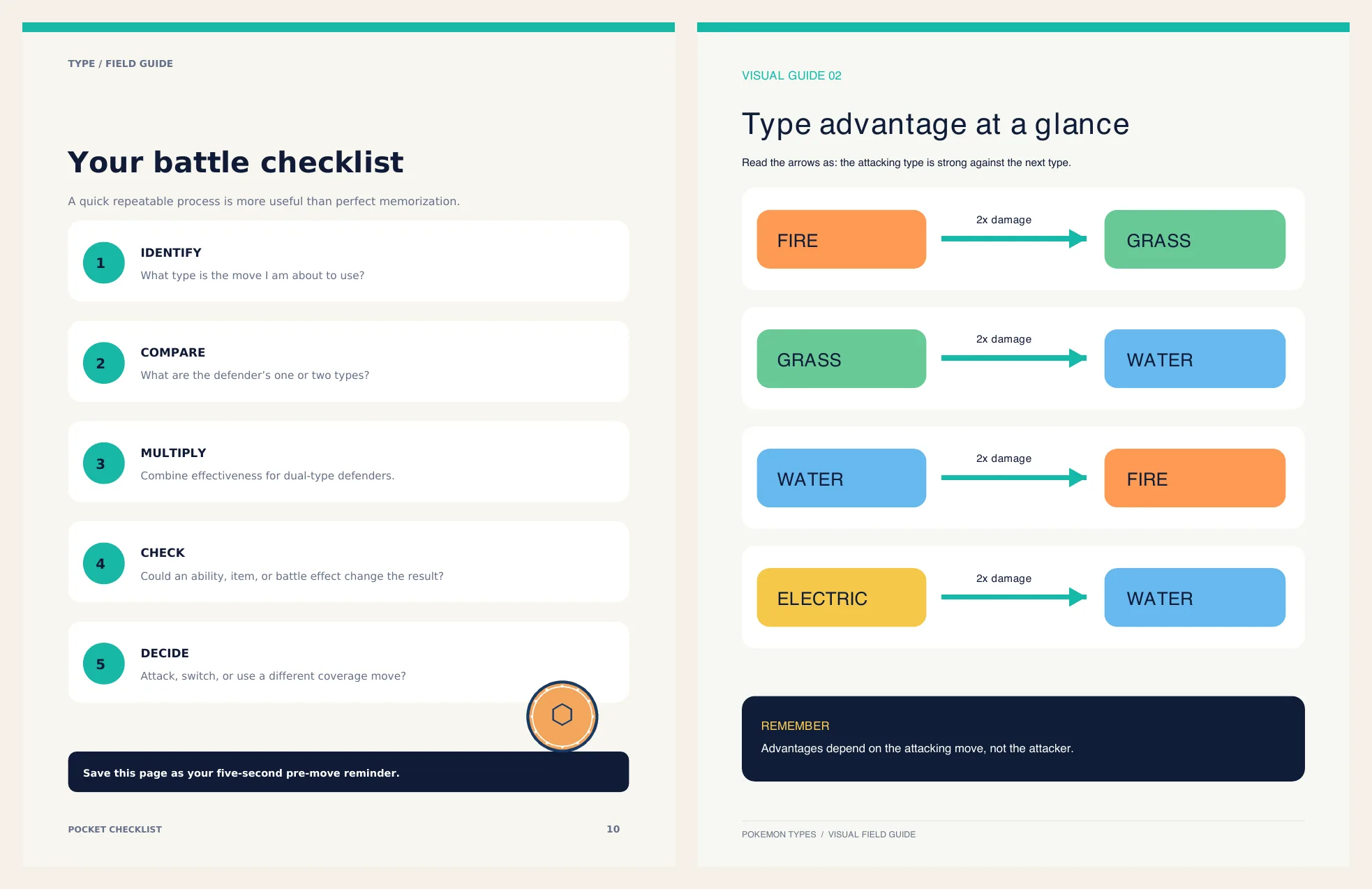
First: remove the little “Chapter 01” labels above each heading. ChatGPT worked for nine seconds and sent a new PDF. The labels were gone. In their place, on every page, a faint empty box where each label used to be.
Second: add infographics and images inside the PDF. That one took a minute and a half. It added three new pages, six cartoon creature faces, a few diagrams, and round badges scattered over the existing pages.
Here is what the document looked like after those two edits:
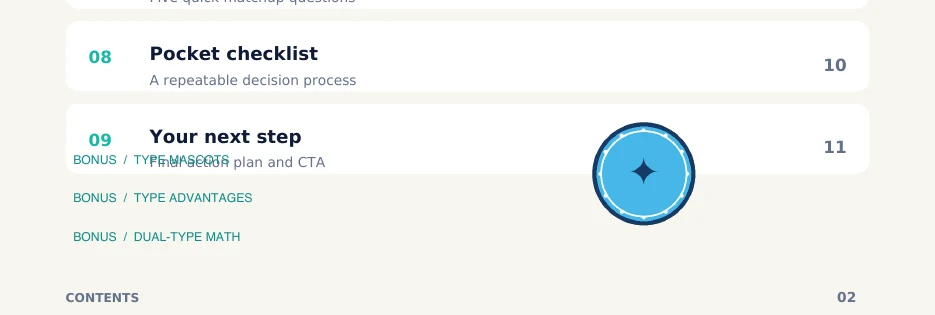
- The contents page still says the CTA is on page 11. It is on page 14 now.
- The three new contents entries were printed on top of the last old one. Text on text.
- A decorative badge sits on the contents list, another on a table row, another on a callout. One of them shows a broken character box instead of an icon.
- The new pages use a different typeface, a different header and a different footer, and they have no page numbers. One document, two designs.
Checked 20 October 2026
ChatGPT Plus, three prompts in one chat: the first one quoted above, “remove the chapter eyebrow texts”, and “generate infographics and pokemon images inside the pdf”. The first PDF has 11 pages, the last one 14. Both files are kept, page by page, as the record of this test.
My prompt was short on purpose. The fair objection is that a better prompt would fix it. So I tried that next.
Can you save a brand in ChatGPT?
I wrote a brand the way a designer would hand it over. A fictional consultancy called Northline. Six hex colours. A sans for headings and a serif for body text, each with a named fallback. Sizes, margins, spacing. What the cover, the contents page, the header and the footer look like. A CTA page with one amber “Book a call” button that links to a website.
Then I saved it where ChatGPT lets you save things: the instructions of a Project, so every chat inside it starts with the brand. I asked for one lead magnet in one chat and a second one in a new chat. Each took about a minute.
The colours held. Every page of every PDF used the six hex codes and nothing else. The contents pages were right this time too, titles and page numbers. Credit where it is due.
Everything else moved.
- The typefaces. The brand asked for Inter, or Helvetica if Inter was not available. The first document used Helvetica and Times without embedding them, so your PDF viewer quietly swaps in whatever system font it has. The second used Liberation Sans and Liberation Serif. Nobody asked me. Nobody told me.
- The cover. Document one has the title in light capitals. Document two has it in bold title case, with a small label above it and an amber line under it. Same brand, same Project, different cover.
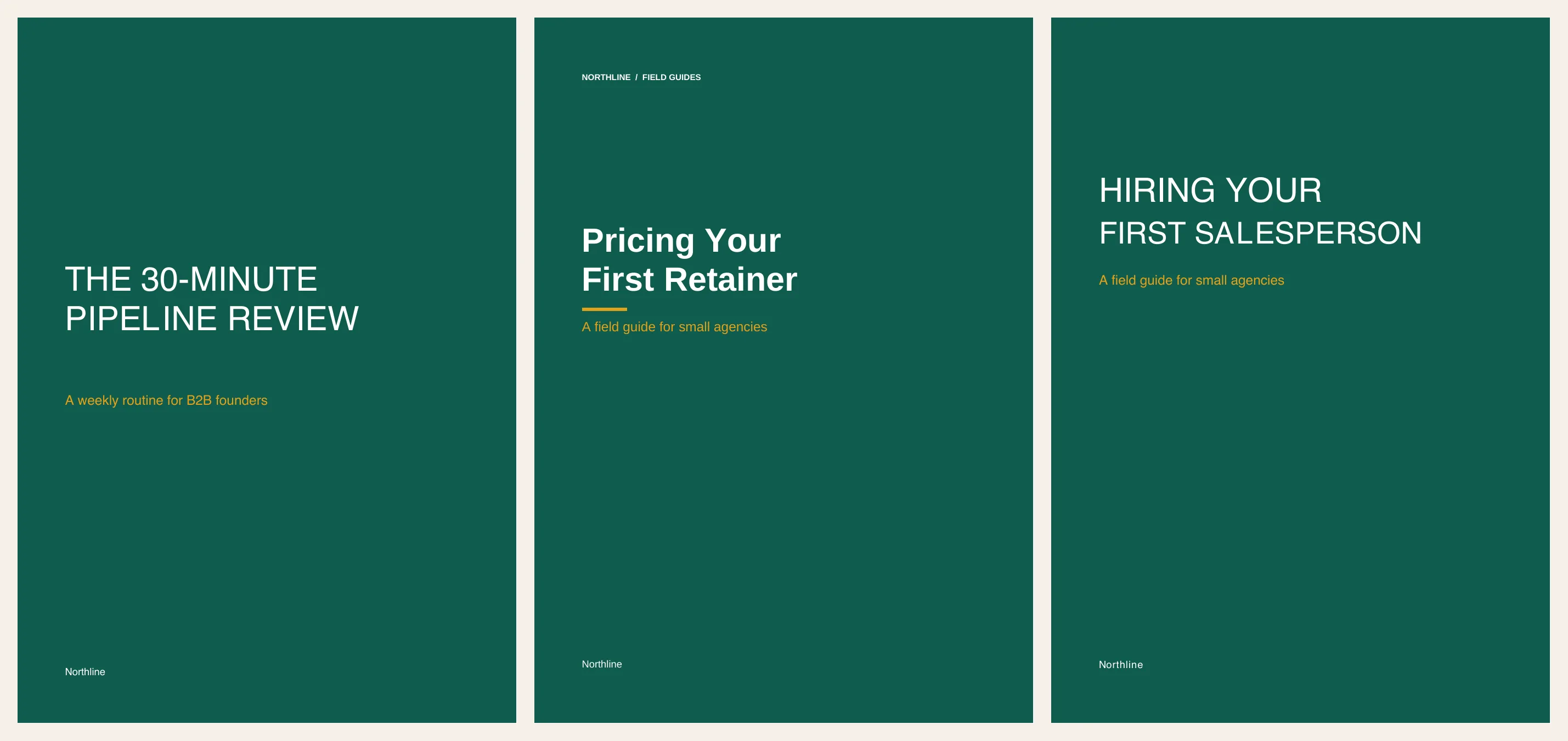
- The headings. Green and regular in one document, near-black and bold with a rule under them in the other. The thin line under the page header is in the first document only.
- The button. The first document has the amber “Book a call” button with its link. The second has no button at all, just a sentence. When I asked to change the button text, ChatGPT added a button. It does not link anywhere.
Checked 20 October 2026
ChatGPT Plus, one Project with the full brand in its instructions, two documents in two new chats, two edits, and one more document in a plain chat relying on memory. Fonts, colours, line spacing and links measured from the PDF files, not eyeballed.
The memory test was the strangest. In a fresh chat outside the Project I asked for “another Northline lead magnet, same brand as before”. It kept the colours. It also borrowed the subtitle of the previous document and the “Get the template” button from my last edit. It remembered what I did, not what the brand says.
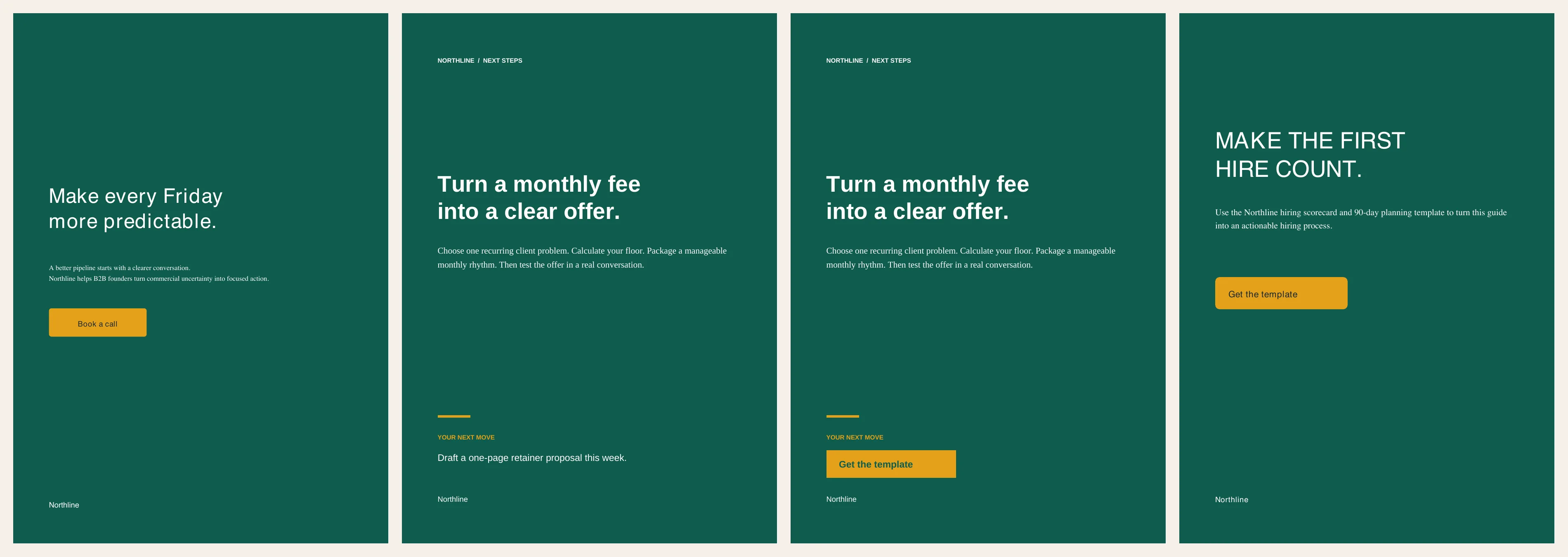
So you can save the brand prompt. You cannot save the brand. Every document is a new program written from the same instructions, and anything the instructions leave open gets decided again.
To be fair, I think a long enough brief would get close. Look at where my two documents split: how bold a heading is, how a cover title is set, where the thin rules go. My brief never said. Six colours and two fonts are the start of a brand. The rest is hundreds of small decisions. Each one has to come out the same in every situation: a long table, a pull quote, a three-line chapter, a two-line cover title.
Write all of those down and you have a brand book. Writing a brand book is a designer’s job, and a hard one. Then you have to trust the model to read all of it, every time.
That is the part Unplain takes off your plate. The design decisions are already made, as defaults I designed on purpose. You set the basics once in a Brand Theme: your colours, your fonts, your logo, size, spacing and corners. Unplain applies them the same way to every page of every document. The layout comes from rules, not from a model rewriting a script, so the tenth PDF matches the first. And when you change a setting, you see the page change in the editor while you do it.
You edit in the dark
The last test was the smallest. I asked for slightly tighter body text: line height 1.4 instead of 1.5. Thirty-odd seconds later I had a new PDF.
Did it work? I opened both files side by side and could not tell. I only know it worked because I measured the files afterwards: 16.5 point line spacing went to 15.4. That is correct. Nobody reviewing a lead magnet before sending it does that.
In an editor you drag a value and watch the page change. In a chat you describe the change, wait, download, open two PDFs and play spot the difference.
The real cost is the tenth change, not the first one
A lead magnet is never finished on the first try. You fix a typo. A number changes. Marketing wants a new CTA. Someone asks for a version for another client.
With an AI-made PDF, each of those is a round trip. You take a screenshot, describe the problem in words, wait, check the whole document again for anything that moved, and repeat. Every round spends your plan’s message limit, or API tokens if you work that way.
The fiddly parts are the worst. Line height that is a touch too loose is one prompt to describe and several more to get right. Imagine a designer pressing the up and down arrow until it looks right, except each press takes thirty seconds and redraws the whole document.
Then there is the second document. And the fifth. As the Northline test shows, even a saved brand comes out a little different each time. Six months later your PDFs live in six chat threads, in six slightly different brands, and finding last quarter’s version means scrolling.
The words still need you
This is the part that matters more than the design.
ChatGPT is great at getting you past the empty page. The draft it writes is a start. Read it. Cut the filler. Check every number. Add the thing only you know, because that is why anyone downloads it.
If you let AI write most of the text, give it your voice first. A voice skill, a short file that tells the model how you write, does more for the result than any design prompt. I made a free one, Saylike, for exactly this. Use it or write your own.
Keep the speed, drop the cost
The workflow I use, and built Unplain around:
- Draft with ChatGPT or Claude. Edit until the words are yours.
- Paste the text into Unplain, or upload it. Word (.docx), Markdown (.md), plain text (.txt), or pasted text all work.
- Pick your Brand Theme. Colours, fonts and logo, saved once, applied to every page. The free plan includes 1 Brand Theme.
- Export the PDF.
Unplain builds the cover, the contents page from your headings, the page numbers and the CTA page. Fix a typo by clicking on it and typing. The contents page and the page numbers follow on their own. Cover art and images inside the document can be generated too, with a real image model. You get 3 on the free plan, 60 a month on Pro, or 30 with a one-time Creator Pack.
ChatGPT, after two edits
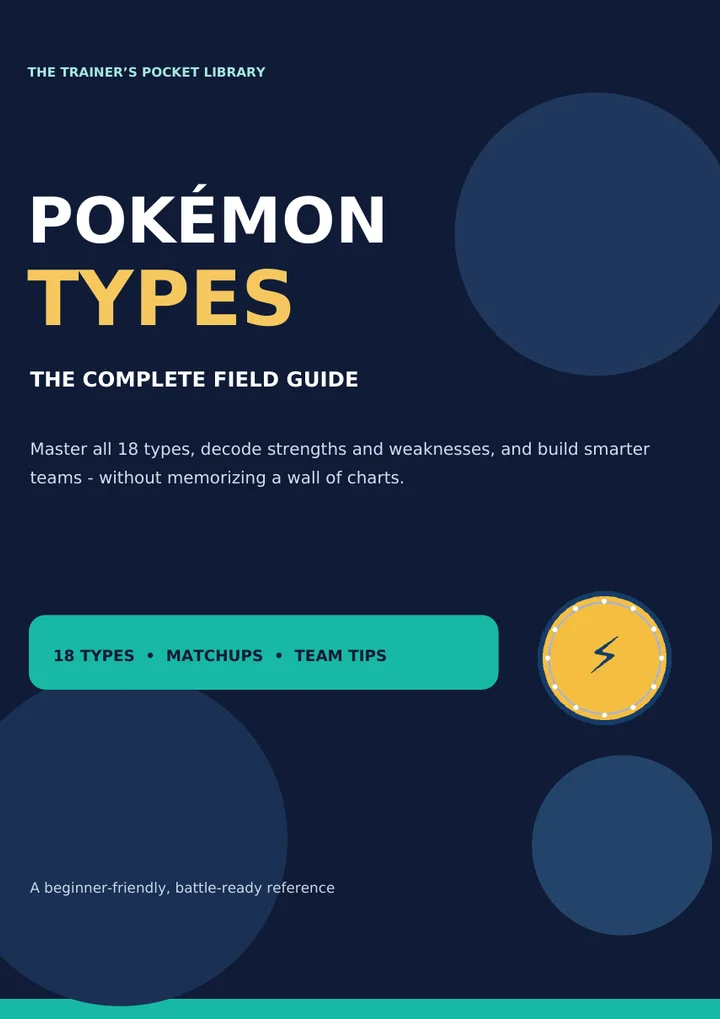
The same guide through Unplain
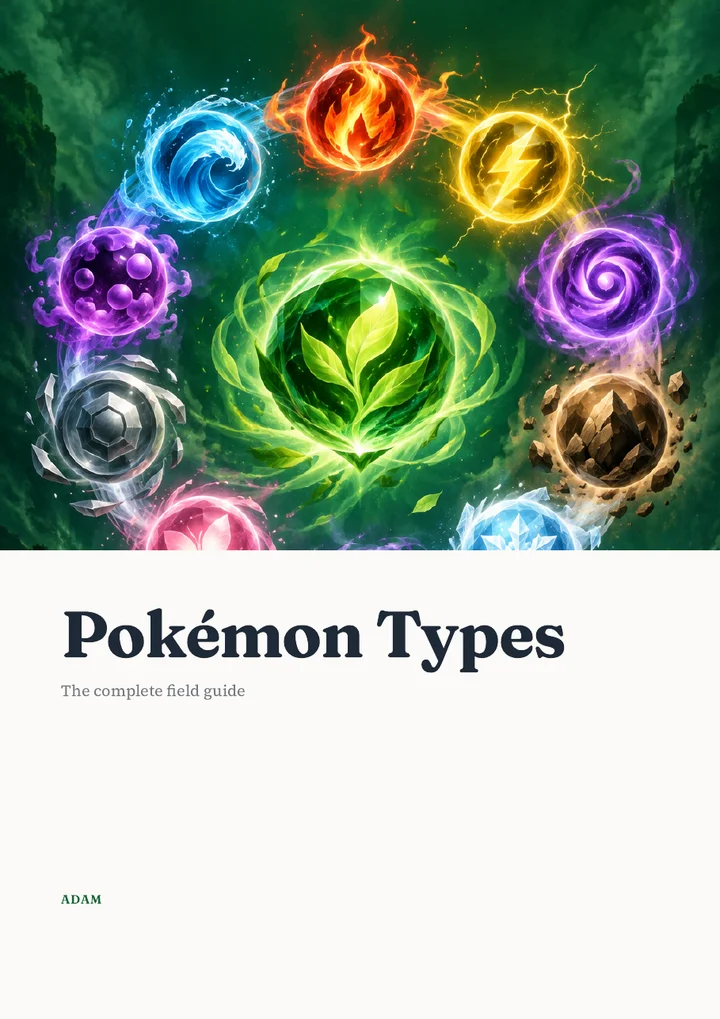
ChatGPT, after two edits
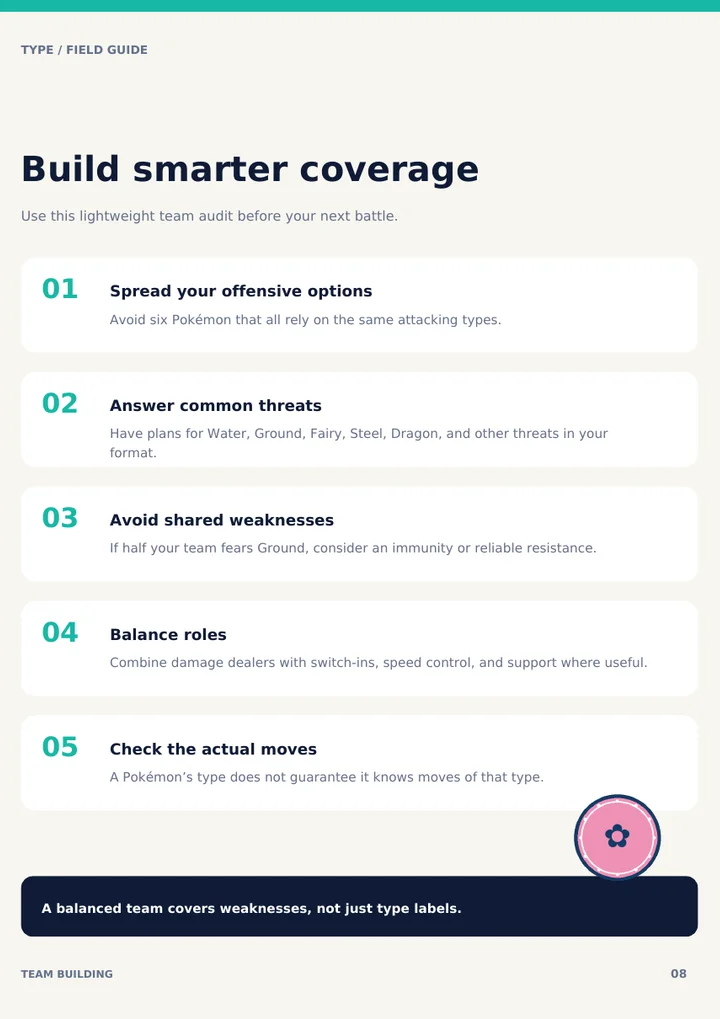
The same chapter through Unplain
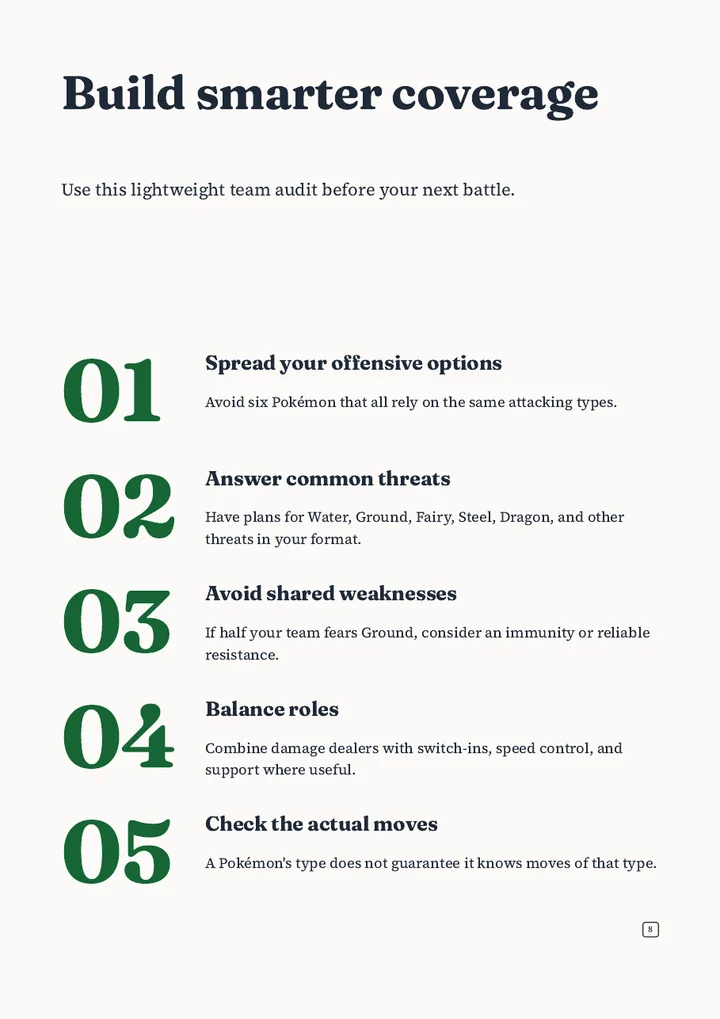
Every document sits on one dashboard, with a search and a sort, so last quarter’s report is a search away instead of a scroll through old chats.
If you work in Claude Code and Codex, you can skip the paste. Your assistant can pull real numbers from PostHog or another connected tool, write the report, and hand it to Unplain through the MCP. It comes back as a PDF in your brand.
When a one-prompt PDF is enough
Sometimes asking ChatGPT for the PDF is the right call. It is a one-off. Nobody will ask for changes. It does not need to match anything else you send. Three people will read it once.
That is a narrower case than it sounds. Even internal documents read better with a cover, a working contents page and your brand on them, and most of them get a second version.
For everything else, let AI help with the words and give the layout to something that follows rules. Short PDFs are free: Unplain exports up to 10 content pages on the free plan, no account needed to try. Pro is $16 a month when your documents get longer. Start with your draft, or read the ChatGPT to PDF walkthrough first.